
Start with a PDF
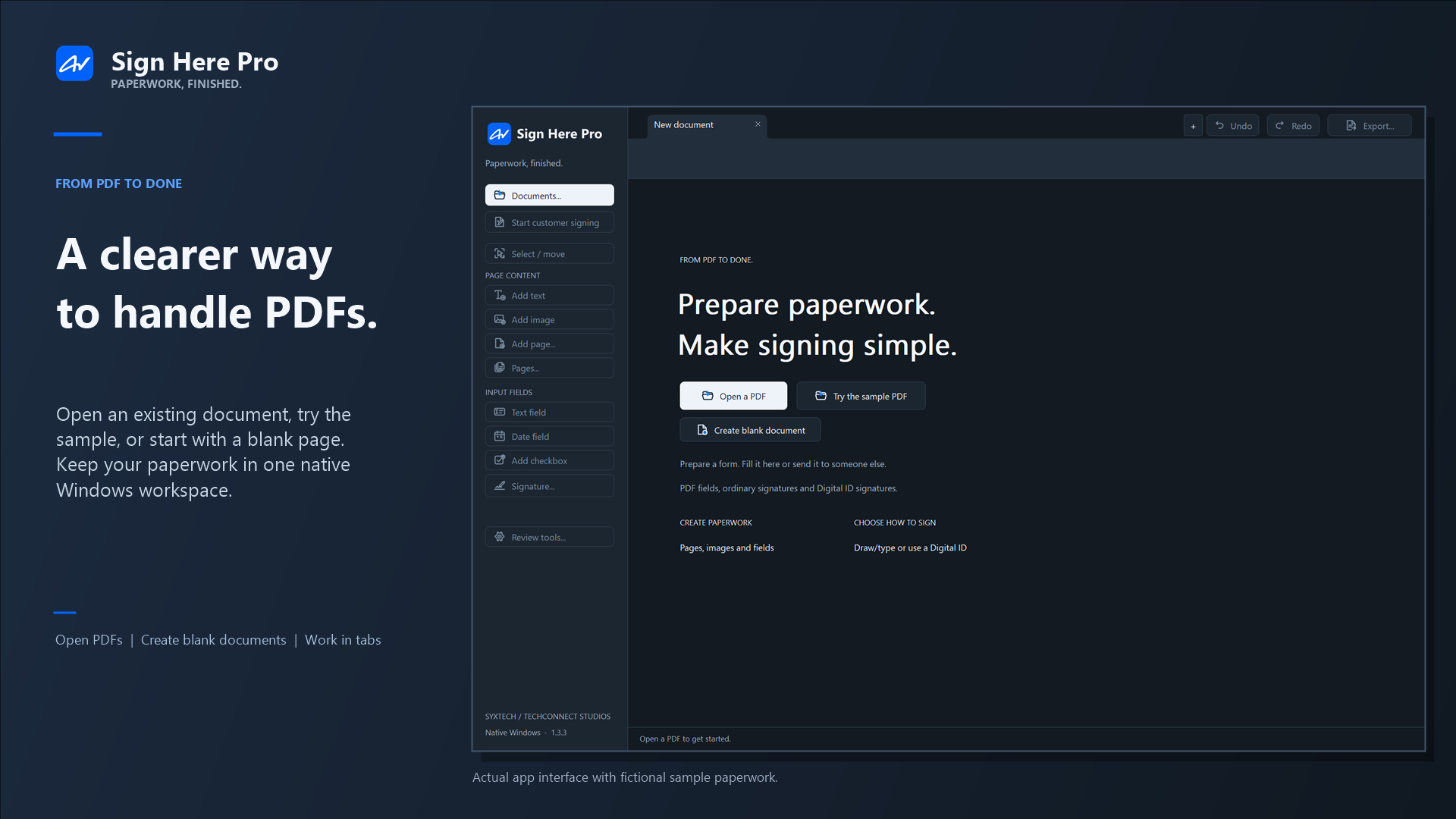
Open an existing file or begin with a blank page. Add text, images, and pages where you need them.
From the first field to the final signature, keep the whole job in one place. Prepare a PDF, guide someone through signing, and export the copy you need.

ONE CONTINUOUS WORKFLOW
Every step stays connected, so you can work on the document instead of juggling tools and versions.
Open an existing file or begin with a blank page. Add text, images, and pages where you need them.
Place text, date, checkbox, signature, initials, and Digital ID areas for the right kind of response.
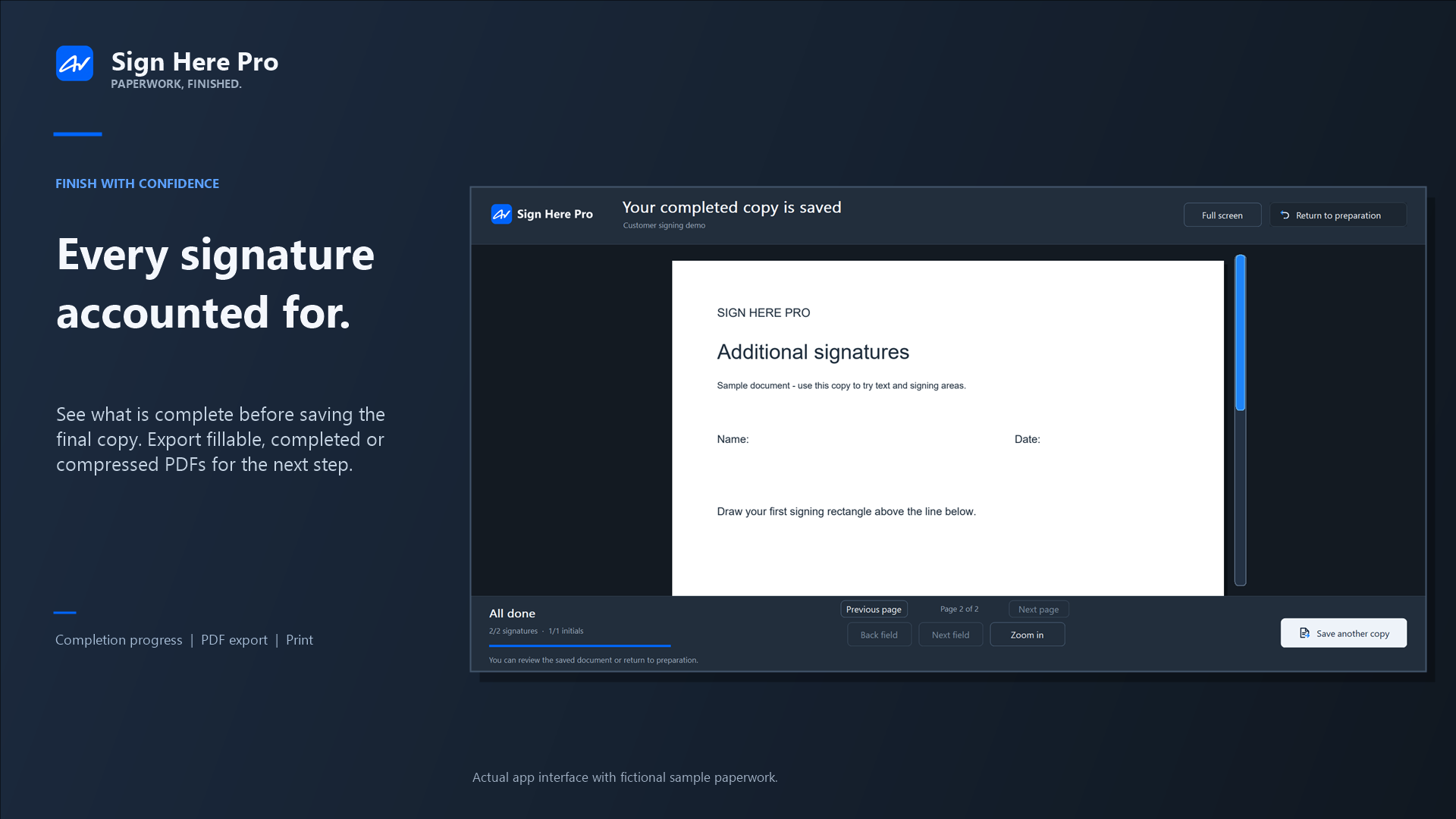
Give customers a focused view with field and page navigation, plus visible signing progress.
Export a fillable, completed, or compressed PDF. Save a project or template when you will use it again.
TAKE A LOOK INSIDE
Real screens from the Windows app. The documents and names shown are fictional examples.



WORK YOUR WAY
A PDF workflow should make the common jobs feel simple, while still giving you room to handle the unusual ones.
Keep the working version, or reuse a prepared layout for the next customer.
Use tabs to move between PDFs without losing your place.
Choose a PDF that stays interactive, or export a completed copy. Compression is available for supported PDFs.
Mark content for an image-based redacted copy, print, or prepare a PDF attachment in a compatible email app.
THE RIGHT SIGNATURE FOR THE JOB
Many forms need a visible signature. Some specifically require a certificate signature. Sign Here Pro supports both workflows.
Draw or type a signature or initials in a signing area. Great for paperwork that asks someone to sign visibly without a Digital ID.
NO CERTIFICATE NEEDEDSign a supported PDF Digital ID field using a Windows certificate or PFX/P12 file. Certificate trust is determined by the recipient's PDF reader.
CERTIFICATE REQUIREDWINDOWS STORE EXCLUSIVE
Sign Here Pro is preparing for a Microsoft Store release. The first release is planned for Windows PCs with x64 and ARM64 processors. Check back here for the Store listing.
GOOD TO KNOW
No account is required. The app works with files on your Windows PC; it does not upload your PDFs to a Sign Here Pro service. Features that open a website or use your email app may involve those services.
Sign Here Pro exports interactive PDF form fields for use in compatible PDF readers. Reader behavior can vary, so test a form in the reader your recipient uses before sending it widely.
No. Ordinary drawn or typed signatures and initials do not require a certificate. Use a Digital ID when the document calls for a certificate signature and the recipient can trust the signing certificate.
For supported PDFs, the fillable compressed export keeps native form fields interactive. Some images may lose detail. Special PDFs and certificate-signed files use or require different export handling.
Sign Here Pro is planned as a Microsoft Store exclusive for its first release. We’ll add a Store link here when the listing is available.